Voting open · ends in—
Turn any text into a whiteboard explainer video

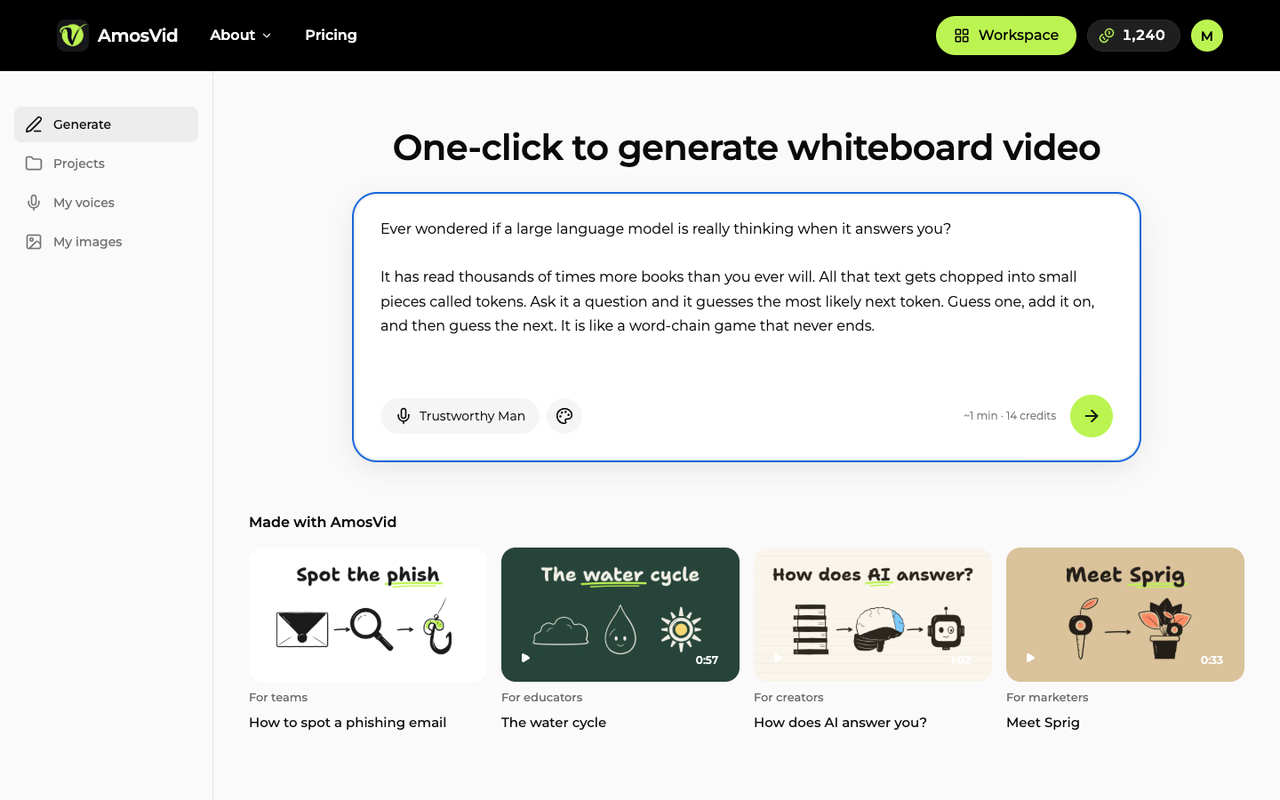
AmosVid is an AI whiteboard animation video generator that turns your script into a hand-drawn explainer video in one click.
Explaining an idea on video used to mean drawing every frame, recording a voiceover and lining it all up on an editing timeline. With AmosVid you paste your text and the rest is done for you: it plans the scenes, draws a sketch for every line, and records a voiceover in the language of your script, English or Chinese. Pick a preset voice or clone your own voice with permission.
You stay in control of the result. If one scene isn't right, swap its image or fix just that scene instead of regenerating the whole video. When you're happy, export a 1080p MP4 that you can use commercially.
AmosVid is built for people who explain things: teachers and course creators turning lessons into videos, marketers and founders making product explainers, YouTubers and educators publishing to their channels, and trainers and HR teams producing training videos.
Videos can run up to 30 minutes each on Pro. New accounts get free credits to try it, no credit card needed. Credits are only used when you generate; exports and image swaps are free, and failed videos are refunded automatically.
AmosVid is built by founder Amos Young. Questions or feedback: [email protected]
Product Keywords
Loading comments...
Maker
AmosVid is an AI whiteboard animation video generator that turns a written script into a hand-drawn explainer video in one click. Instead of drawing frames, recording a voiceover and assembling everything on an editing timeline, you paste your text and let the built-in AI director plan the scenes, sketch an image for every line and narrate the result. It's built by founder Amos Young and is currently in beta.
Paste your script and AmosVid checks it first, showing roughly how long the video will be and how many credits it will use. From there the AI director breaks the text into shots, decides what to draw in each one and when every stroke lands.
Pick a natural AI voice and speed in the language of your script, or clone your own voice with permission by recording about thirty seconds. The voiceover is recorded automatically in English or Chinese.
If one scene isn't right, you don't regenerate the whole video. Open that shot and swap its image from the library, your own uploads or a stock photo search, or switch the visual style between whiteboard, notebook, kraft paper and chalkboard.
When you're happy with the result, export a 1080p MP4 that can be used commercially. Exports and image swaps are free, and failed videos are refunded automatically.
Every line gets its own sketch, drawn on screen in time with the voiceover.
That scene-by-scene drawing is the core of the format, and AmosVid keeps you in control of it rather than locking you into a single generated take. Because you can fix just one scene or change the whole style in a click, iteration stays cheap. Credits are only used when you generate, so tweaking and exporting don't eat into your balance.
You have ideas that are easier to explain out loud than to film — a lesson, a product feature, a policy — and you want a finished narrated video without touching an editing timeline. New accounts get free credits to try it, no credit card needed, and videos can run up to 30 minutes each on Pro.
Loading comments...
Other tools you might consider