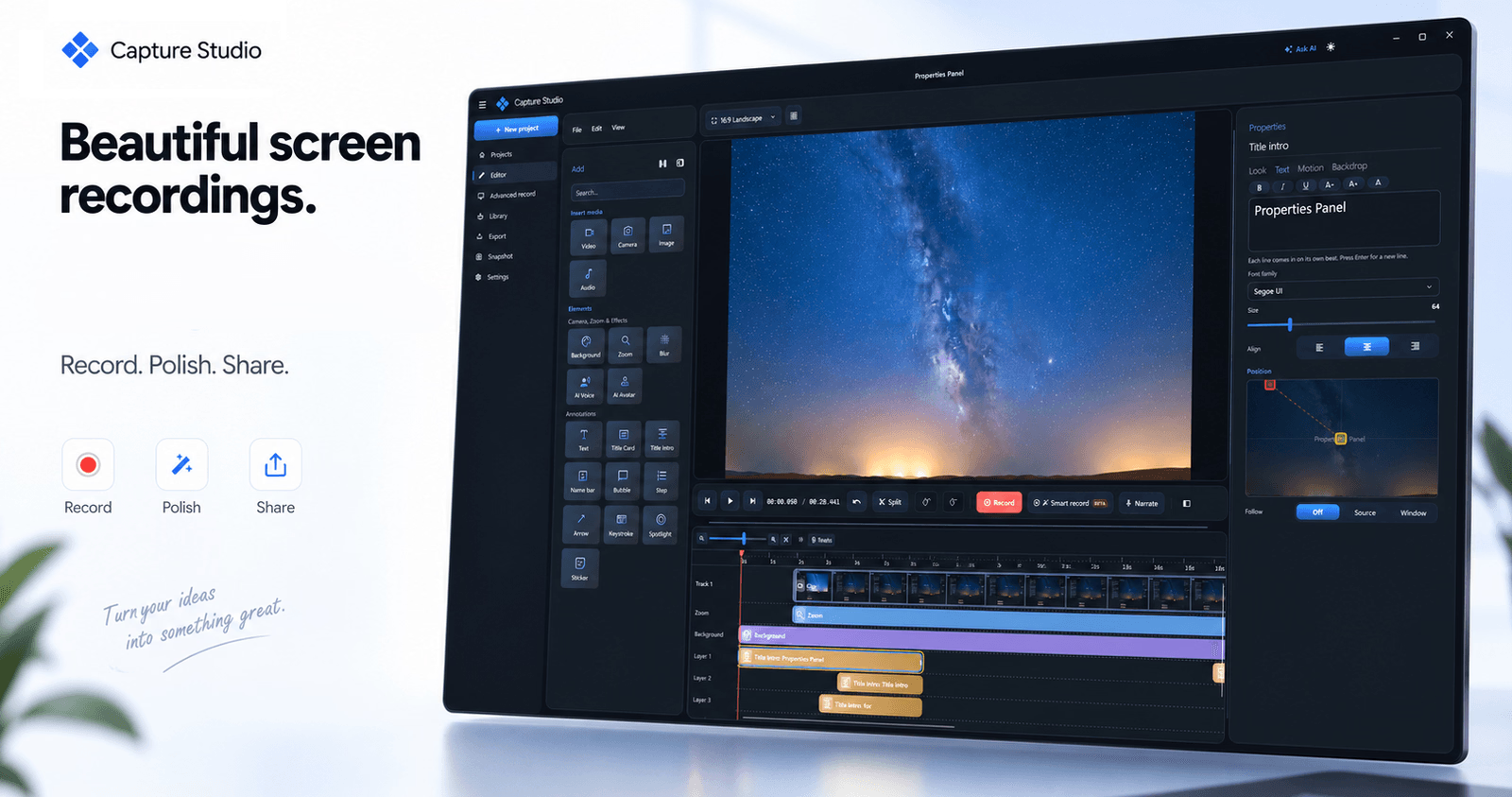
What is Capture Studio?
Capture Studio is a Windows screen recorder and video editor built into a single application. It captures any screen, window, or region at up to 120 FPS, then lets you finish the footage with zoom, backgrounds, subtitles, and AI voice-over. The defining idea behind it is local processing: every feature runs on your own machine, so no footage ever leaves it.
Who it's for
- Tutorial and course creators who need keystroke overlays, click highlights, and clean captions without sending raw footage to a cloud service.
- Product and support teams documenting workflows click by click, with automatic step capture and export to Markdown, PDF, HTML, or PowerPoint Show.
- Windows users on high-refresh hardware who want smooth 120 FPS capture for fast motion, plus a real multi-track editor to polish the result.
Key features
Multi-track timeline with live effects
Trim, zoom, and add effects on a genuine multi-track timeline where every effect previews in real time. What you see in the preview is what you export.
Automatic on-device subtitles
A small neural model handles speech-to-text locally, with automatic language detection, turning narration into styled captions. Nothing is uploaded to generate them.
85 neural voices in 22 languages
Narrate with a broad voice library, or clone your own voice by recording about ten seconds once. AI avatars and camera overlays add a presenter-style layer on top.
Click-by-click documentation export
Snapshot follows your steps, captures the written text, generates proper documentation, and exports to Markdown, PDF, HTML, or PowerPoint Show.
What stands out
Every feature runs on your own machine, so no footage ever leaves it.
That privacy-first design shapes the whole toolkit rather than being a single toggle. Subtitles, voice generation, noise cancelling, and avatars all run locally, which matters when recordings contain internal tools, client data, or unreleased products. It also means the editing workflow stays in one place instead of bouncing between a recorder, a caption service, and a separate editor.
Worth checking out if…
You record Windows screens regularly and want capture and editing in one pass. It fits well if privacy is non-negotiable, if you need keystroke overlays and smooth cursor motion for tutorials, or if you want subtitles and voice-over without a subscription service. The Early Bird plan is $85 one-time for a lifetime licence with one year of updates.