What is MySOP.guru?
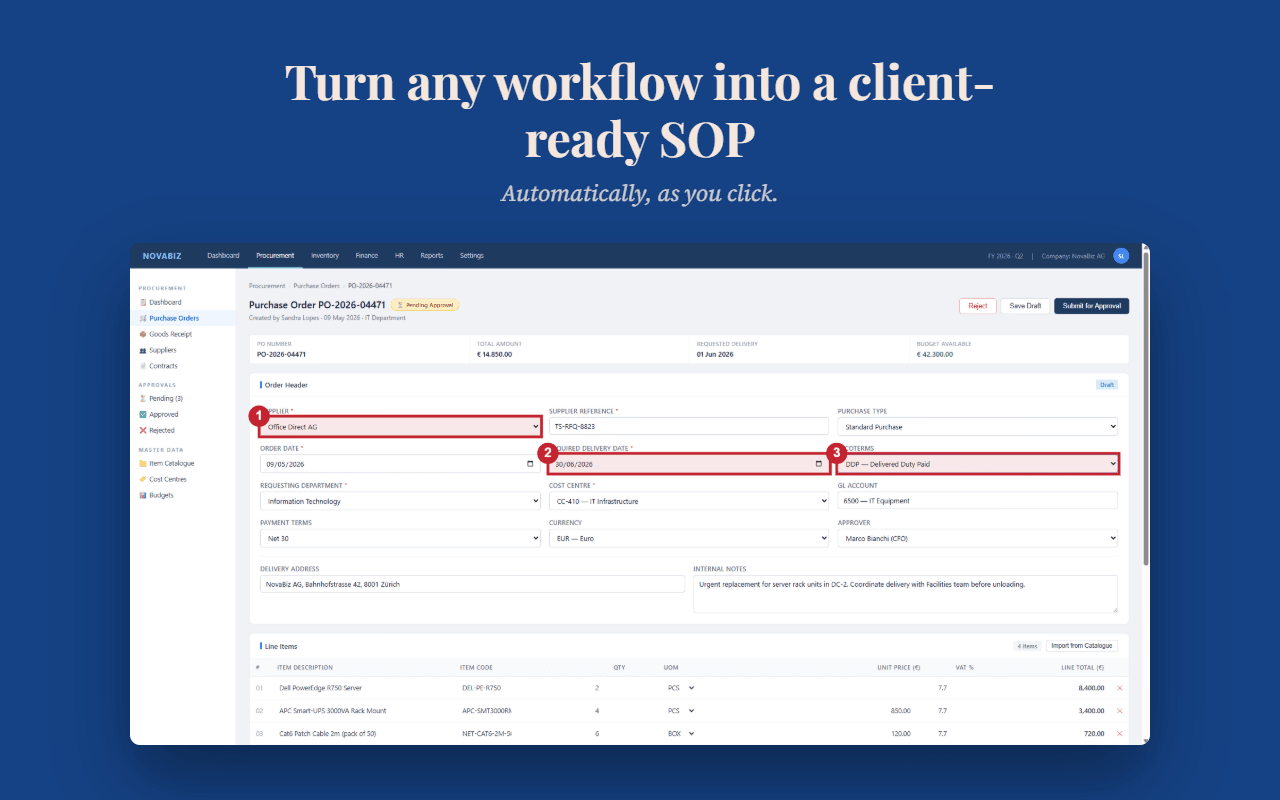
MySOP.guru is a Chrome extension that turns any workflow into a polished, professional Standard Operating Procedure (SOP) document. Instead of writing instructions from scratch or juggling screenshots and formatting tools, you simply click through a process once—the extension captures every step with automatic screenshots and numbered callouts, then exports a branded PDF ready to share. The first export is free; after that, each document costs €5. No subscriptions, no monthly fees.
Who it's for
- HR professionals — Onboard new starters faster by capturing account setup, systems access, and first-week procedures once, then reusing the same SOP for every hire after that.
- Finance teams — Document month-end close sequences before the person who remembers the order takes a holiday, turning tribal knowledge into a repeatable process.
- Operations managers and consultants — Produce branded client deliverables or handover documentation the same day a workflow changes, without losing an evening to Word formatting.
Key features
Automatic Screenshot Capture
Every interaction during your capture session is recorded with a full-page screenshot. Numbered badges highlight exactly what was clicked, so readers always know precisely where to look in the interface.
Smart Page Grouping
Multiple clicks on the same page are automatically grouped into a single step with a numbered sub-action list. This keeps your SOPs concise and readable instead of fragmenting one logical action across several pages.
Professional PDF Export
Exports arrive formatted with your logo, header, footer, page numbers, and a clean visual layout. The document is ready to send the moment the export finishes—no post-editing required.
Pay-per-Export Pricing
You pay €5 only when you export a document. In quiet months, you pay nothing at all. Your documentation spend follows your actual work instead of the calendar.
What stands out
The fastest way to get a process out of one person's head and onto paper—without building a wiki you'll have to maintain forever.
Most documentation tools assume you document constantly and charge you monthly whether you use them or not. MySOP.guru inverts that logic: it's built for the reality that documentation arrives in bursts—a new starter, a system change, a handover. The pay-per-export model means occasional documenters aren't subsidizing daily users, and the Chrome-extension approach means there's no new platform to learn. You just do the task once, review the captured steps, and export.
Worth checking out if…
You need professional SOPs occasionally—not weekly—and resent paying $15–29 per seat per month for tools you barely touch. If you're onboarding staff, documenting a system change, preparing a handover, or delivering branded client documentation, MySOP.guru gives you a polished result in minutes. The free first export makes it risk-free to test on your next real workflow.