
AI Audio & Video Transcription — Accurate Text in Minutes
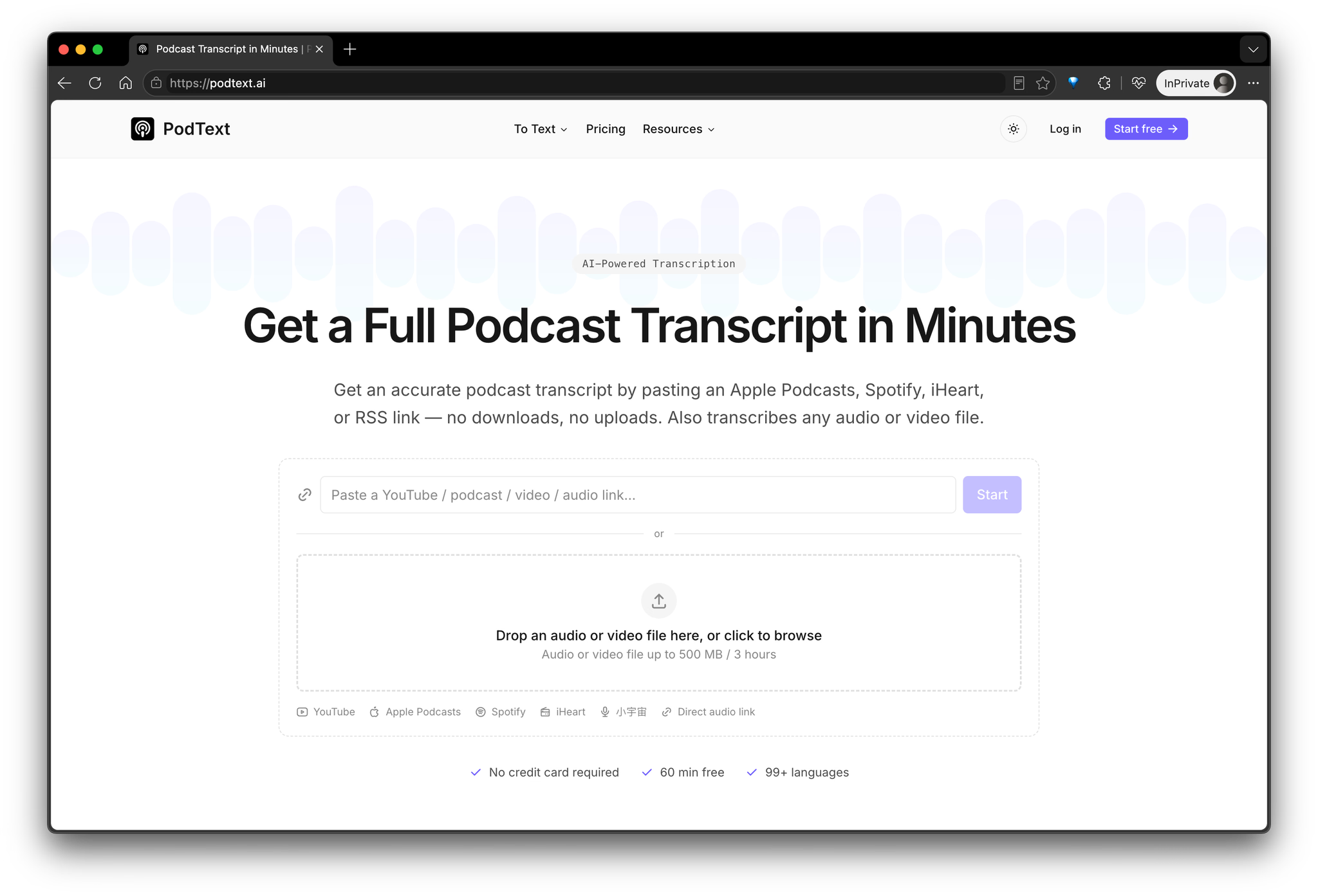
PodText is an AI-powered transcription tool for turning podcasts, audio, and video into accurate, editable text. It is designed for podcasters, content creators, journalists, researchers, students, educators, and anyone who regularly works with spoken content.
Instead of manually transcribing a recording or switching between multiple tools, users can upload a file and let PodText handle the transcription process. It supports common audio and video formats including MP3, WAV, M4A, AAC, MP4, MOV, and WEBM.
PodText supports more than 50 languages with automatic language detection and provides up to 98%+ transcription accuracy. Transcripts include timestamps and can be edited directly in the browser, making it easy to correct names, terminology, or other details after transcription.
For podcasts, PodText also supports importing episodes from Apple Podcasts, Spotify, and RSS feeds. This means podcasters can work with existing published episodes without first downloading and manually uploading the original audio file.
Key features include:
• AI transcription for podcasts, audio, and video
• 50+ languages with automatic language detection
• Accurate, timestamped transcripts
• Editable transcripts directly in the browser
• Full-text transcript search
• Podcast importing from Apple Podcasts, Spotify, and RSS
• AI-generated summaries and show notes
• TXT and Markdown export
• SRT and VTT subtitle export
PodText is useful for more than simply converting speech into text. Once a recording has been transcribed, the transcript can become the starting point for other types of content.
Podcasters can turn episodes into written transcripts and show notes. YouTube creators can generate subtitles and repurpose spoken content into articles. Journalists and researchers can create searchable records of interviews. Students can convert lectures and recordings into text that is easier to review and search. Content teams can also use transcripts as source material for articles, summaries, newsletters, and other written content.
The workflow is straightforward: upload an audio or video file, or import a podcast episode, wait for PodText to generate the transcript, review and edit the result, and then export it in the format you need.
For subtitle workflows, transcripts can be exported as SRT or VTT files and used with video editing and publishing platforms. For written content, users can export TXT or Markdown files for further editing, publishing, or archiving.
PodText also includes AI-generated summaries and show notes, helping users quickly understand long recordings and turn them into useful written content without starting from a blank page.
New users receive 30 minutes of free transcription, and no credit card is required to get started. This makes it easy to test PodText with a real podcast episode, audio recording, interview, lecture, or video before deciding whether to use it for larger transcription projects.
Maker
Loading comments…
Project Info
Product Keywords
PodText is an AI-powered transcription tool that turns podcasts, audio, and video into accurate, editable text. Instead of manually transcribing recordings or juggling multiple tools, you paste a link or upload a file, and PodText handles the rest. It supports common formats like MP3, WAV, M4A, AAC, MP4, MOV, and WEBM, plus direct imports from Apple Podcasts, Spotify, iHeart, YouTube, and RSS feeds. The result is a timestamped transcript you can read, edit, and export in minutes.
PodText lets you paste a podcast URL from Apple Podcasts, Spotify, iHeart, or any RSS feed and get a full transcript without downloading the audio first. The same applies to YouTube links, which are converted into text and captions in seconds. This removes the friction of file management entirely.
Language is detected automatically, and quality stays consistent even on long recordings. Chinese content is converted to your preferred script, making the tool genuinely global. You don't need to configure anything before uploading.
Every transcript includes timestamps and can be edited directly in the browser. Correct names, terminology, or any other detail after transcription, then search the full text to find specific moments. The transcript is a working document, not a static output.
Beyond raw text, PodText generates a summary, chapters, and key quotes automatically. Export as SRT, VTT, TXT, or Markdown — subtitles for video platforms, documents for publishing, or notes for archiving. One click gets you the format you need.
PodText collapses content turnaround from days to minutes, letting a small team repurpose one episode across formats.
That's the core edge: it's not just a transcriber, it's a content engine. The AI-generated summary and chapters turn a long recording into usable insight immediately, and the link-based import means you skip the download-upload dance entirely. For teams producing podcasts or video regularly, this transforms transcription from a bottleneck into a launchpad for show notes, newsletters, and social clips.
You regularly work with spoken content and want a single tool that handles transcription, editing, and export. If you're a podcaster publishing weekly episodes, a YouTuber needing subtitles, or a researcher managing interview archives, PodText removes the repetitive manual work. New users get 30 minutes of free transcription with no credit card required, so you can test it with a real episode or recording before committing. For anyone tired of switching between transcription, editing, and formatting tools, PodText is worth a try.
Other tools you might consider
Presidents and CEOs get strategy teams. You get… doomscrolling? Meet Zetik: an AI agent team running a full intelligence cycle — collect, filter, analyze, brief — across podcasts, papers, code, tweets & news, 24/7. It tracks whatever matters to you, in near real time.
Wondering is the most delightful way to break down complex topics into knowledge you can remember and apply. Tell it what you want to learn, and it creates a personalized path of short lessons with visuals, podcasts, and interactive exercises. It surfaces the most important ideas and lets you explore them in your own way, like a thoughtful tutor beside you.
Typing on the web has not evolved. Tapfree fixes that. Tapfree is a voice-first keyboard for Chrome text fields and ChromeOS that lets you write messages, notes, docs, and emails by speaking naturally - without dictation errors, awkward formatting, or constant corrections. It understands context, not just words.
Loading comments…