Voting open Ā· ends inā
Turn audio into editable MIDI in your browser

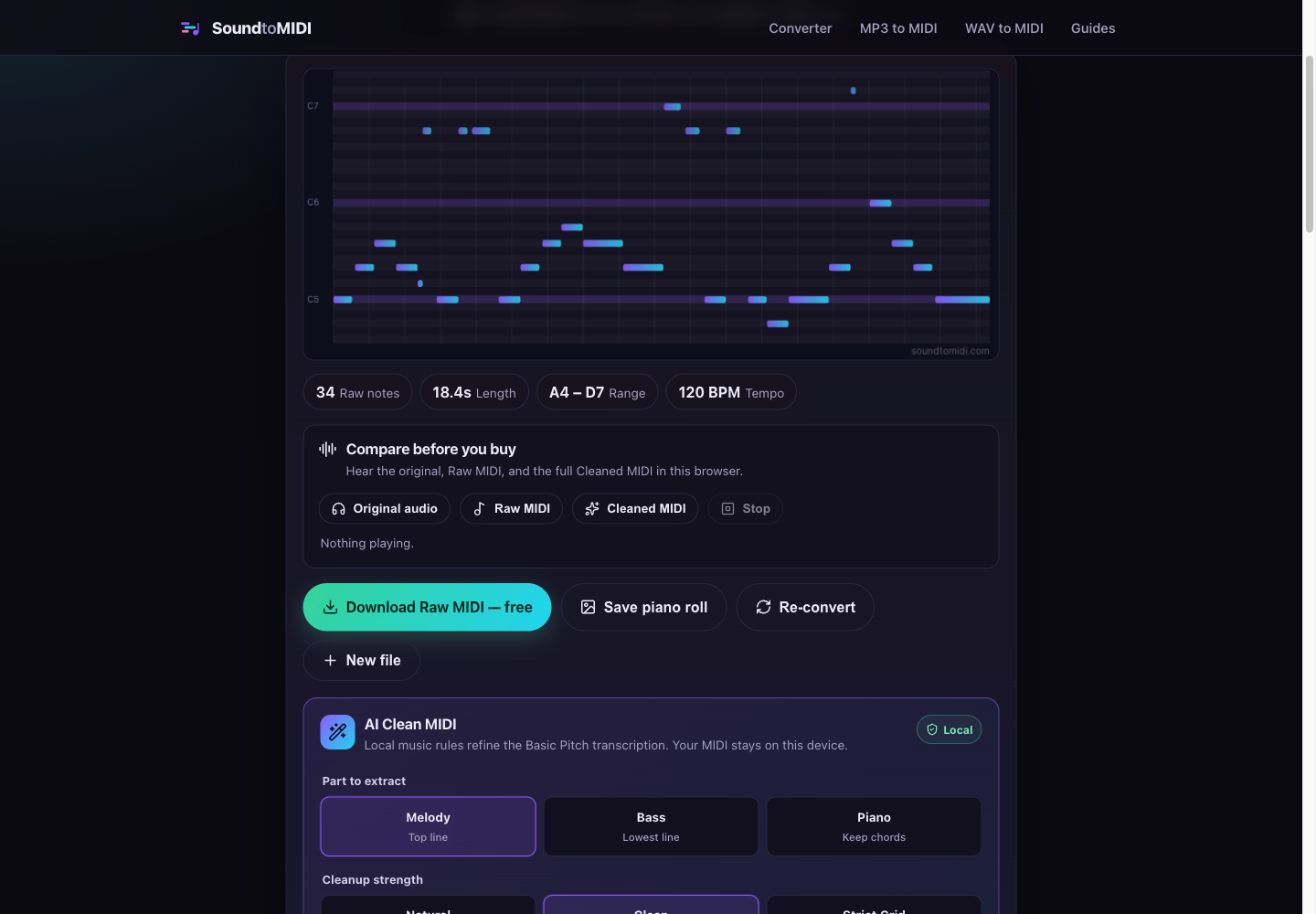
SoundToMIDI converts MP3, WAV, FLAC, M4A, OGG, AAC, and compatible MP4 files into editable MIDI directly in your browser. Audio transcription runs locally with no account required. Raw MIDI downloads are free, while an optional cleaned MIDI export costs $2.99 once. It works best with clear melodies or isolated instruments; dense mixes may need manual editing.
Product Keywords
Loading comments...
Maker
SoundToMIDI is a browser-based audio transcription tool that converts MP3, WAV, FLAC, M4A, OGG, AAC, and compatible MP4 files into editable MIDI data. The entire process runs locally on your deviceāno files are uploaded, no account is required, and there are no daily conversion caps. It uses Spotify's open-source Basic Pitch neural network to detect notes, chords, and pitch bends, then lets you download a standard .mid file you can open in any DAW or notation app.
Your audio never leaves your computer. SoundToMIDI decodes and transcribes files locally, so even unreleased demos or copyrighted material stays completely private. The ~1 MB AI model caches in your browser, making repeat conversions nearly instant.
You can download the raw transcription as a standard .mid file at no cost, with no watermark, no sign-up, and no limits on how many files you convert. Pitch bends are included in this free version, giving you the full detected performance data.
For $2.99 one-time, SoundToMIDI applies local music rules to refine the Basic Pitch transcriptionāremoving stray notes, quantizing to a tempo grid, and cleaning up the performance. You can preview the cleaned result in-browser before paying, and the payment unlocks a single download tied to your current browser session.
Choose Voice, Piano & Guitar, Bass, or General to set detection and cleanup parameters that match your source material. Advanced settings remain editable, so you can fine-tune onset confidence, note confidence, minimum note length, and tempo to suit each recording.
Your audio never leaves your deviceāSoundToMIDI is a converter that respects both your privacy and your workflow.
Most free converters force you to upload files to their servers, cap your conversions, or watermark the output. SoundToMIDI sidesteps all of that by running entirely in-browser, making it genuinely private and unlimited. The free raw MIDI download is a real working file, not a teaser, and the optional cleaning step is priced as a one-time purchase rather than a subscription. It also handles polyphonic audioāchords, piano, guitar, and vocalsāthanks to the underlying Basic Pitch model, which is a rare capability in free browser tools.
You want to transcribe a clear melody, isolated instrument, or vocal line into editable MIDI without uploading sensitive audio to a third-party server. It's especially useful if you're on a tight budget, since the free tier is genuinely functional, or if you need a quick, offline-friendly solution for capturing musical ideas on the go. Dense mixes with many overlapping instruments will likely need manual editing afterward, so it's best suited for clean source material or single-instrument recordings.

Other tools you might consider
In the high-stakes environment of corporate mergers, acquisitions, and restructuring, data is the most valuable assetāand the most vulnerable. The FreeViewer Office 365 Tenant Migration Tool is engineered as a surgical instrument for IT professionals, stripping away the complexity of cross-tenant transitions to deliver a clean, bit-for-bit data transfer. Engineered for Continuity This isn't just a data mover; itās a continuity engine. While manual migrations often result in broken hierarchies and missing metadata, FreeViewer ensures that your destination environment is a perfect mirror of the source. The Zero-Loss Guarantee: Move Emails, Calendars, Contacts, and OneDrive files without losing a single timestamp or "Read/Unread" status. The Delta Advantage: Avoid the "frozen-in-time" migration. Our Incremental Sync identifies and captures only the new data that arrived during the transition window, ensuring a seamless "go-live" moment. Intelligent Filtering: Don't migrate digital clutter. Use Date-Range and Category Filters to surgically select the data that matters for the new organization. Security-First Architecture In an era of heightened cybersecurity, we don't ask for your passwords. Modern Auth (OAuth 2.0): Integration via Azure App Registration ensures all data movement is authorized through secure tokens, keeping your Global Admin credentials strictly private. Permissions Mapping: Maintain the integrity of your collaborative spaces. The tool maps user permissions and folder structures so that on Day 1, your team finds their files exactly where they expect them.In the high-stakes environment of corporate mergers, acquisitions, and restructuring, data is the most valuable assetāand the most vulnerable. The FreeViewer Office 365 Tenant Migration Tool is engineered as a surgical instrument for IT professionals, stripping away the complexity of cross-tenant transitions to deliver a clean, bit-for-bit data transfer. Engineered for Continuity This isn't just a data mover; itās a continuity engine. While manual migrations often result in broken hierarchies and missing metadata, FreeViewer ensures that your destination environment is a perfect mirror of the source. The Zero-Loss Guarantee: Move Emails, Calendars, Contacts, and OneDrive files without losing a single timestamp or "Read/Unread" status. The Delta Advantage: Avoid the "frozen-in-time" migration. Our Incremental Sync identifies and captures only the new data that arrived during the transition window, ensuring a seamless "go-live" moment. Intelligent Filtering: Don't migrate digital clutter. Use Date-Range and Category Filters to surgically select the data that matters for the new organization. Security-First Architecture In an era of heightened cybersecurity, we don't ask for your passwords. Modern Auth (OAuth 2.0): Integration via Azure App Registration ensures all data movement is authorized through secure tokens, keeping your Global Admin credentials strictly private. Permissions Mapping: Maintain the integrity of your collaborative spaces. The tool maps user permissions and folder structures so that on Day 1, your team finds their files exactly where they expect them.
Testimly.com is an online testimonial collection platform designed to help businesses gather, manage, and display customer testimonials ā especially video and text reviews ā to build trust and boost conversions on their websites. š§ What It Does Collect testimonials ā You can create a customizable collection page that lets customers submit video (up to a few minutes long), text, and image testimonials just by sharing a link. Showcase social proof ā It provides widgets (e.g., ācarouselā, āWall of Loveā) that you can embed on your website by copying and pasting a bit of code, with no coding skills required . Manage & track feedback ā All testimonials are stored in one place, letting you moderate, organize, and display them to help visitors trust your business more. Free and paid plans ā Thereās a free-forever plan with basic features and paid options with more testimonials, customization, and branding control. š Why Businesses Use It Testimonials and reviews are a form of social proof , which can increase trust and conversions on a website. Testimly simplifies collecting, curating, and embedding these authentic customer stories without technical setup. In short, Testimly helps companies automate and enhance how they collect and display customer feedback to attract and persuade potential customers.
The Open Standard for Generative UIMake your AI apps respond with interactive UI components like cards, tables, forms and charts instead of text. Streaming-native, token-efficient, and works with any AI model (GPT,Claude,M2.5) and agent framework like ai-sdk, Google ADK
Loading comments...