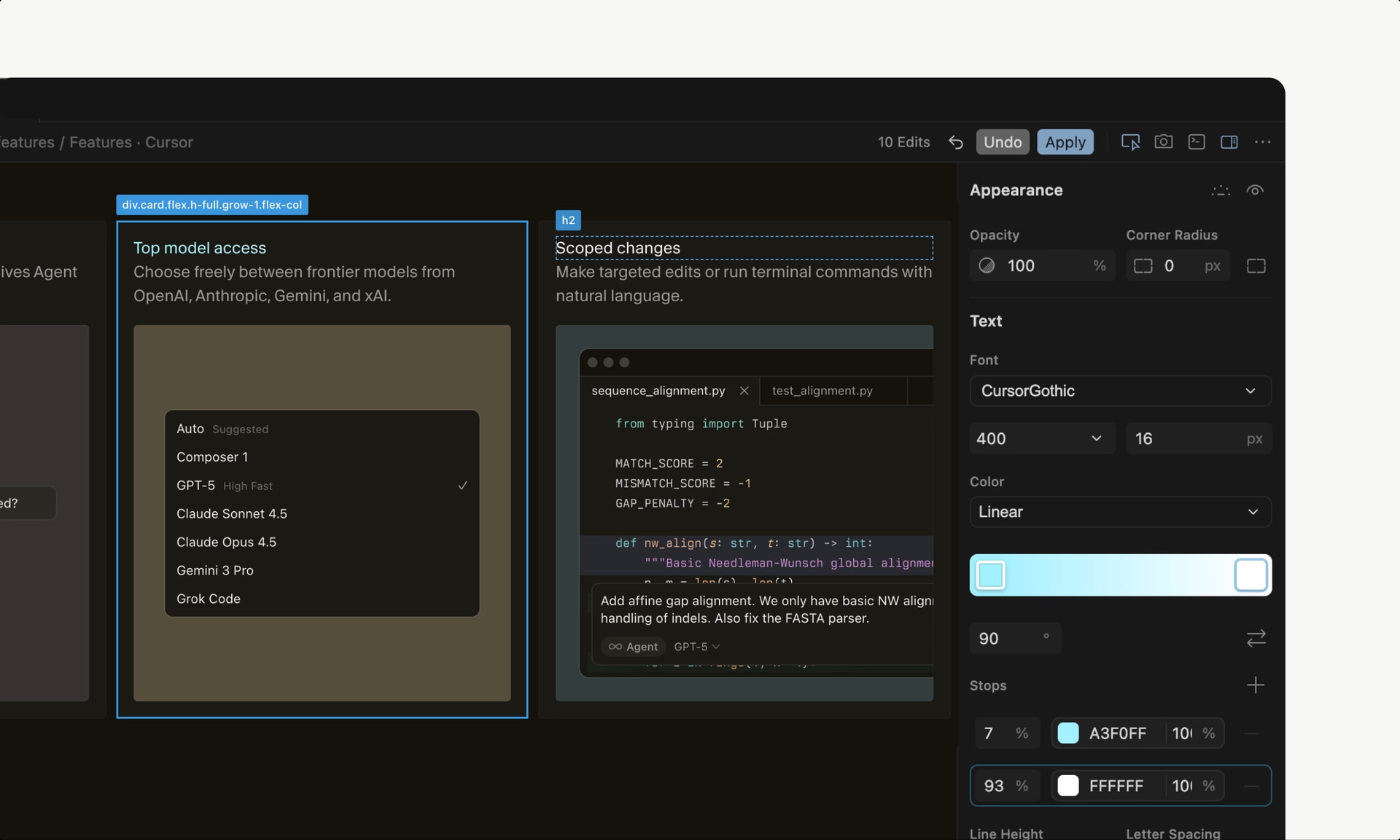
Visual Editor is a new feature inside the Cursor Browser that lets you edit web applications visually while an AI agent works alongside you to update the underlying code. It brings your web app, codebase, and visual editing tools into a single window, closing the gap between design and development. You can drag elements, inspect components and their props, and describe changes by pointing and clicking—all without leaving your workflow.
The visual editor lets you manipulate a site's layout and structure directly by dragging and dropping rendered elements across the DOM tree. You can swap the order of buttons, rotate sections, and test different grid configurations without ever context-switching. Once the visual design matches what you had in mind, tell the agent to apply it—the agent locates the relevant components and updates the underlying code for you.
Modern apps built in React use component properties to control different states. The visual editor surfaces these props in the sidebar, making it easy to switch between variants and see how each one renders. This gives you immediate feedback on how components behave under different conditions.
The sidebar provides sliders, color palettes, and your own design system tokens for fine-tuning styles. Every tweak is fully interactive: live color pickers preview your choices, and controls let you rearrange grids, flexbox layouts, and typography with precision. Changes appear instantly in the browser.
Click on any element in your interface and describe what you want to change. You might click one element and say "make this bigger," click another and prompt "turn this red," and on a third type "swap their order." The agents run in parallel, and within seconds your changes are live.
"The visual editor unifies your work across design and code, helping you better articulate what you want so that execution isn't limited by mechanics."
This is the core insight: instead of forcing you to translate visual ideas into code manually, the Visual Editor lets you express changes naturally through drag-and-drop, pointing, and natural language. The agent handles the code translation, so you stay focused on the design intent rather than the implementation details. It's a step toward a future where agents are deeply connected to building apps, and humans express ideas through interfaces that connect thought to code more directly.
You build web applications and want to speed up your UI iteration cycle. If you're tired of switching between browser, code editor, and design tools to make simple layout or style changes, the Visual Editor offers a unified approach. It's especially valuable if you work with React components and need to test multiple states or if you collaborate with designers who want to see changes applied in real time.
Loading comments…
Maker

moonbyte
Visit Website
cursor.com/blog/browser-visual-editor
Project Info
Product Keywords